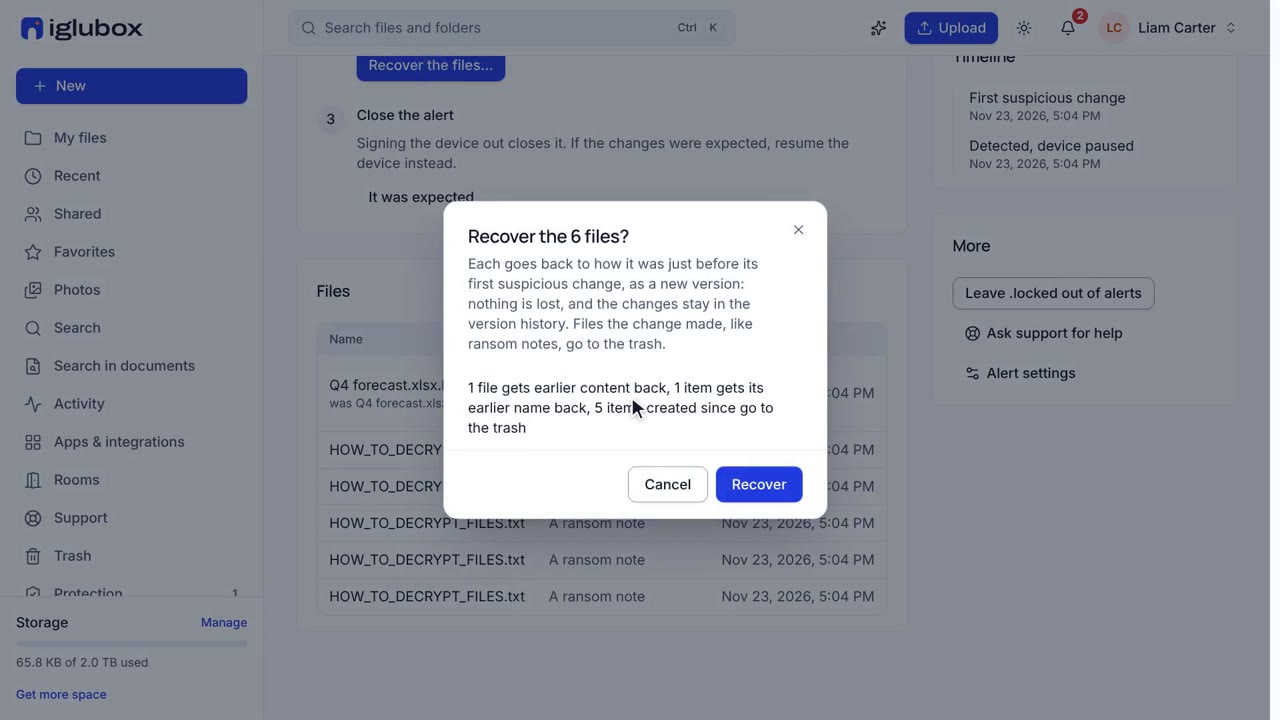
 Length 0:50
Ransomware protection
Respond to a ransomware alert
Review what a paused device did, recover every file it changed, and sign the device out.
Protect a folder so that every version and every deleted file is kept, and see how you are told of an attack.
Ransomware protection keeps the earlier versions of every file in a folder, and every file deleted from it, for the number of days you choose. An attack can encrypt the files you see; it cannot reach what is kept.
Protecting a folder asks for a code from your authenticator app, so turn on two-step verification first.
Length 0:50Ransomware protection
Review what a paused device did, recover every file it changed, and sign the device out.
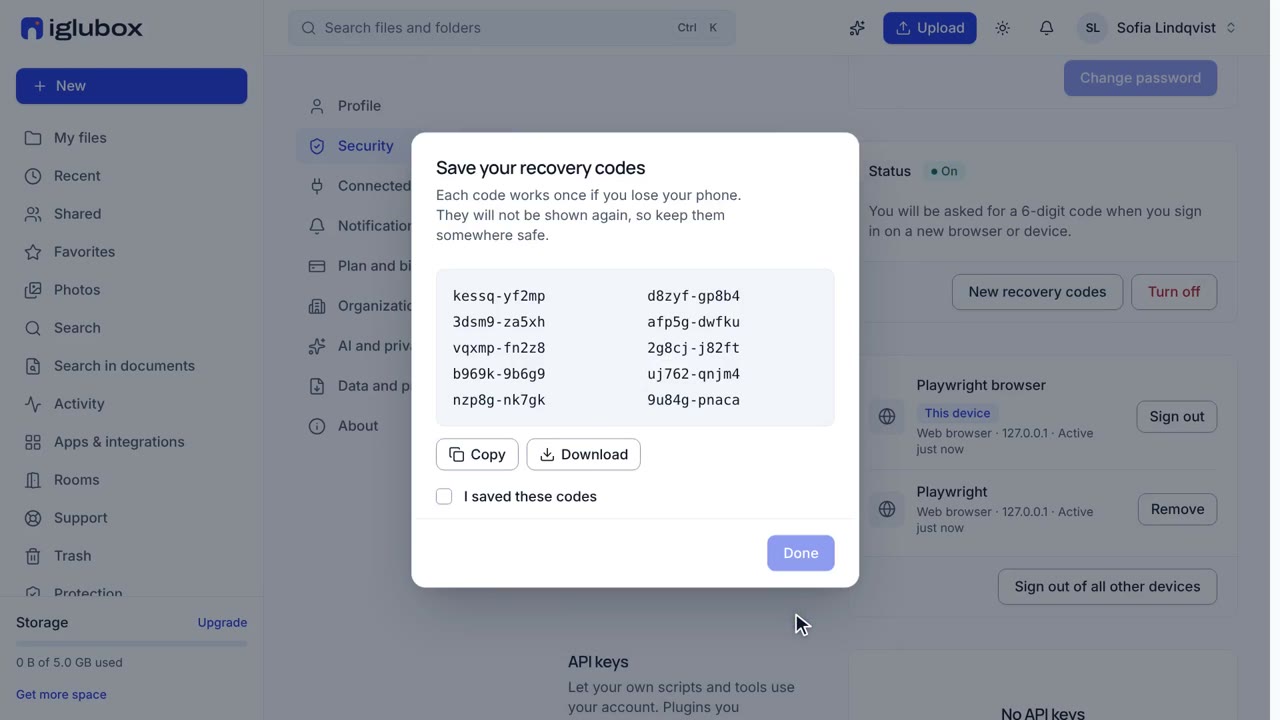 Length 0:33
Signing in
Ask for a code from your phone at each new sign-in, so a stolen password is not enough.
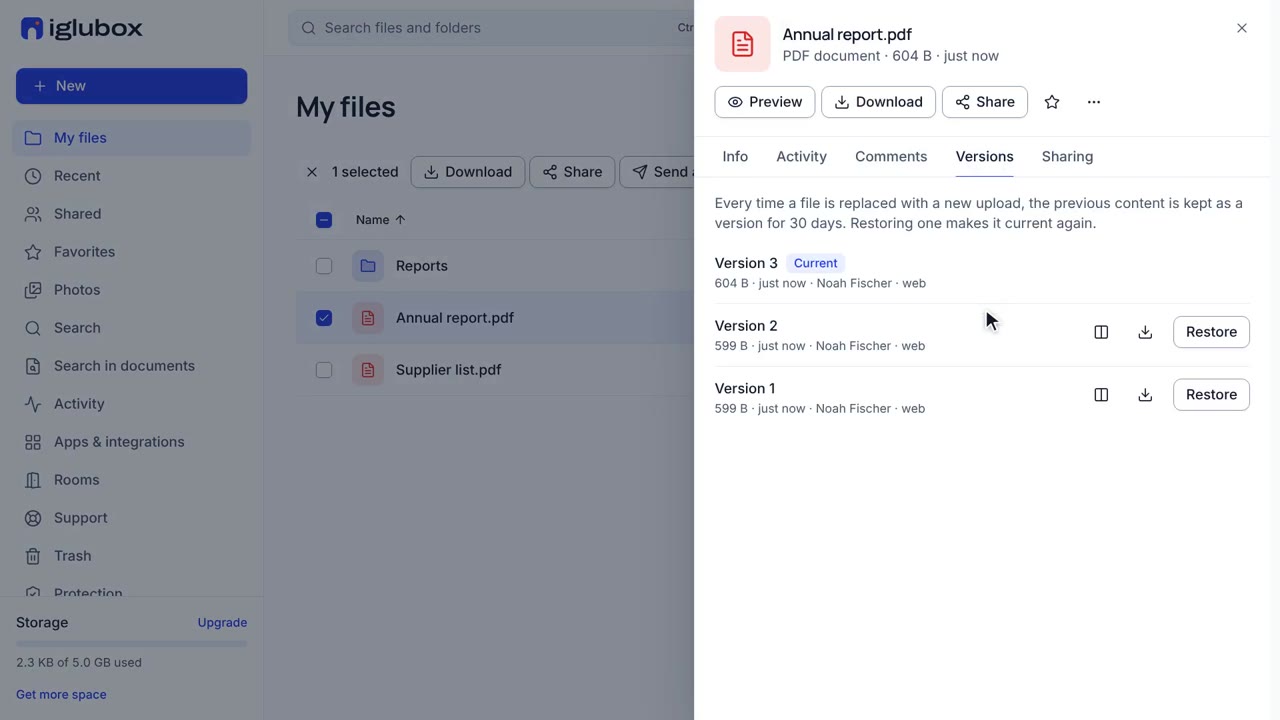 Length 0:37
Restore and recover
Bring a file back from the trash, or make one of its earlier versions the current one again.
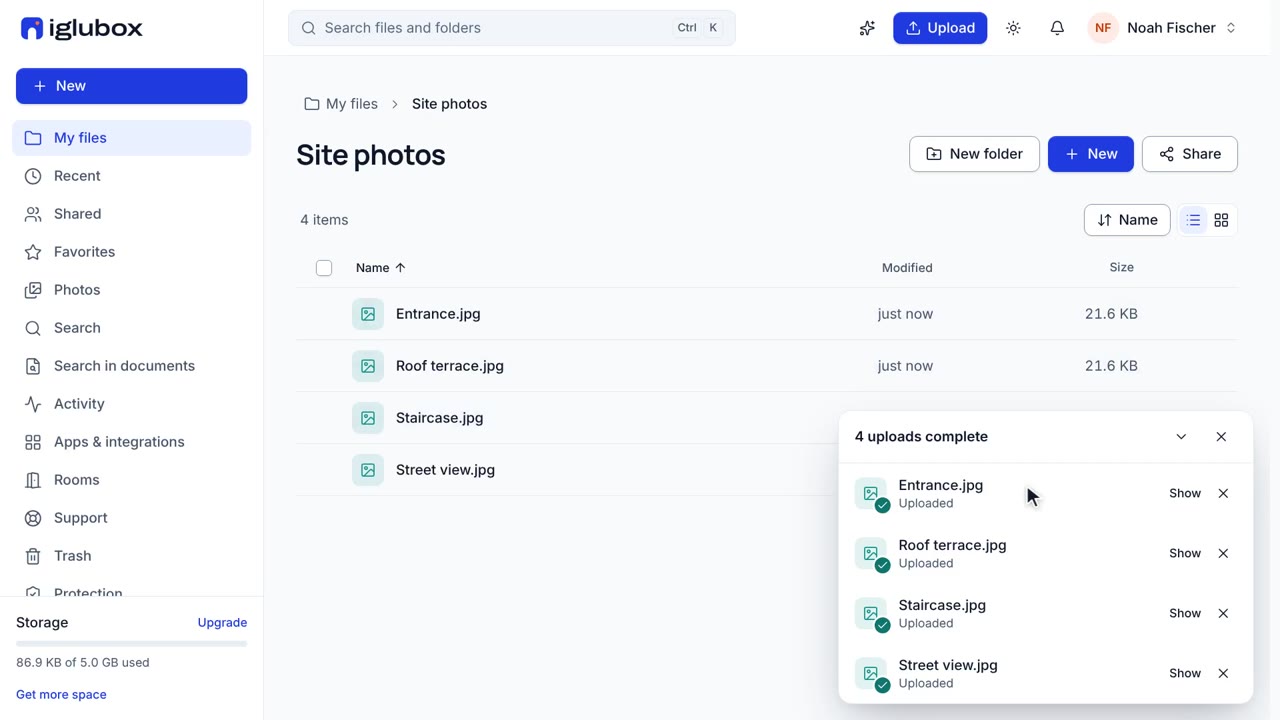 Length 0:34
Upload and download
Make a folder, then upload files into it from your computer, and follow each upload as it goes.